How HoursServed compares

Practical comparisons to help you choose the right tool. We try to be honest about where we're the best fit — and where we're not.

Top 3 HoursServed benefits

Three workflows that give officers more time to serve

01

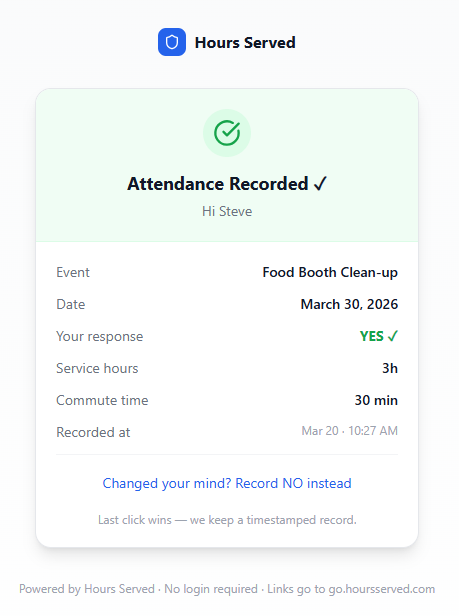
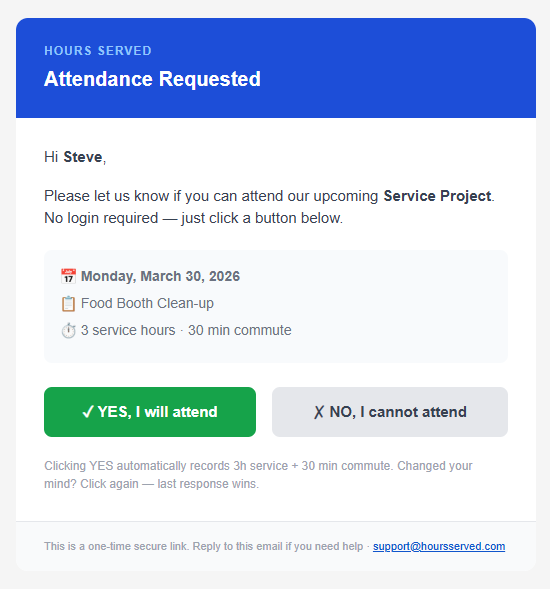
One-click attendance notification — no login required

Send attendance requests by email and let members respond Yes or No from any device without downloading an app or remembering a password.

  • Notify the full roster in seconds
  • Record attendance and service hours from one response
  • Keep a timestamped officer-ready record
02

Meetings and events drafted with Google Calendar download and sync

Import upcoming Google Calendar events into HoursServed as drafts, review them before activation, and give attendees a one-click Add to Google Calendar option.

  • Import upcoming Google Calendar events as drafts
  • Review duration and commute time before activation
  • Let members add confirmed events to Google Calendar
03

Automated Lion Portal uploads (available with LCI approval)

Automated Lion Portal uploads are coming soon, subject to written approval from Lions Clubs International

  • Capture Lion Portal-aligned fields during normal event entry
  • Route monthly activity reports for officer review and approval
  • Download CSV and PDF reports now; activate protected uploads only after approval

What makes HoursServed different

Most tools either do sign-ups or time tracking. HoursServed does both — automatically — for recurring service-led organizations.

More than a sign-up sheet

Hours are logged automatically when a member confirms. No second step, no manual entry, no separate portal to visit.

More than a time tracker

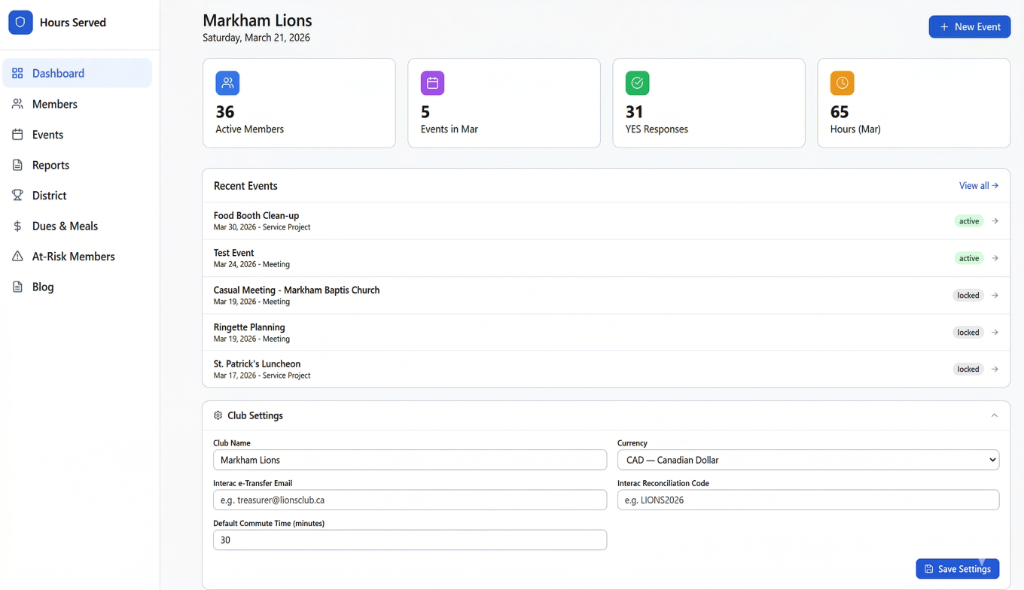
Attendance, commute time, shift management, dues tracking, audit trail, month locking, and district export — all in one system.

Simple for members & volunteers

One email, two buttons. Members don't need an account, an app, or a tutorial. External volunteers can join shifts the same way.

Shifts with role-based capacity

Multi-day events with named roles (e.g. Setup: 2–4, Check-in: 1–2). Capacity limits, waitlists, and cancellations managed by the admin.

Dues & payment tracking built in

Send dues requests, track paid/pending/waived per member, and reconcile Interac e-Transfers with auto-generated reference codes — no separate tool needed.

Flexible for Secretaries

When actual attendance differs from RSVPs, secretaries can manually add or remove members from any event — keeping records accurate without workarounds.

At-risk member alerts

The at-risk report flags members falling below participation or hour thresholds — so officers can follow up before month-end.

Frozen, auditable records

Hours and commute are locked at event creation. Every response is timestamped. Locking a month makes the audit trail immutable from that point.

HoursServed vs. ClubRunner

ClubRunner is a broad club management platform. HoursServed is focused on the recurring operational layer — attendance, service hours, shift management, report approvals, and dues tracking — set up in under 30 minutes.

Best for: Districts and clubs comparing operational workflow tools to broader management platforms

HoursServed vs. LionsBase

LionsBase covers broader Lions administration. HoursServed is built for faster weekly execution — attendance, service hours, shifts, dues, and report approvals with no member login required.

Best for: District leaders and clubs evaluating Lions-specific platforms

HoursServed vs. Unison

Unison is built for service club membership management. HoursServed focuses on attendance tracking, automatic service-hour logging, and district reporting.

Best for: Lions, Rotary, Kiwanis clubs comparing tools for district reporting

HoursServed vs. SignUpGenius

SignUpGenius handles sign-up sheets. HoursServed handles attendance and automatically logs service hours — no manual step required.

Best for: Organizations comparing email sign-up tools to automated hour logging

HoursServed vs. Track It Forward

Track It Forward lets volunteers self-log hours from a portal. HoursServed logs hours automatically on email confirmation — no member action required beyond YES/NO.

Best for: Groups evaluating self-log portals vs. automated confirmation-based logging

See it in action

HS-01 · Attendance Requested

Attendance Requested

HS-02 · Attendance Confirmed

Attendance Confirmed

HS-03 · Admin Dashboard

Admin Dashboard

See HoursServed in action

20 minutes. We'll show you exactly how it works for your type of organization.